Best EVM Browser Wallets 2026: MetaMask vs Rabby vs Rainbow vs OneKey vs Frame — Honest Comparison by Use Case
If you have used Ethereum or any EVM-compatible chain in 2026, you have almost certainly clicked through a MetaMask popup. MetaMask reports about 30 million monthly active users, the largest single funnel into Web3. But shipping that popup to a third of the on-chain world has consequences — phishing and approval-drainer attacks have become the dominant theft vector for self-custody users, and the Chrome extension surface itself was compromised on 2025-12-24 when a malicious Trust Wallet update v2.68 drained $8.5 million from 2,520 wallet addresses within 48 hours.
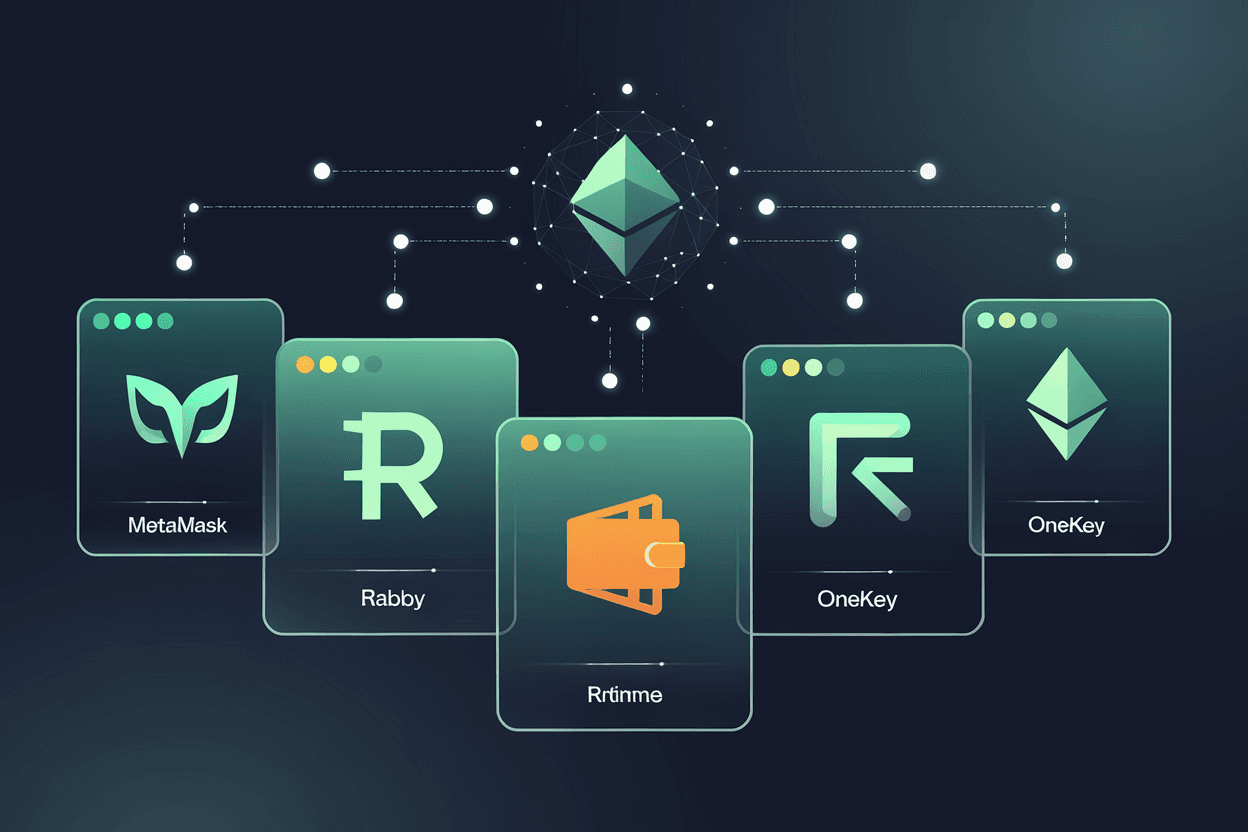
The lesson is not that browser wallets are unsafe. They are necessary — every dApp on the planet expects an injected EIP-1193 provider. The lesson is that which browser wallet you choose, and how you connect it to dApps, decides whether you survive the next supply-chain attack. This guide compares the five EVM browser wallets that matter in 2026 — MetaMask, Rabby, Rainbow, OneKey, and Frame — across security, UX, chain coverage, hardware integration, and fee transparency. We end with a 5-step pre-signing workflow that takes ten minutes and would have stopped 100% of the Trust Wallet drainer victims.
What Is a Browser-Extension EVM Wallet?
An EVM wallet is any application that stores a private key for an Ethereum-compatible blockchain — Ethereum mainnet, Base, Arbitrum, Optimism, Polygon, BNB Chain, Avalanche, and 100-plus others. EVM stands for “Ethereum Virtual Machine,” the bytecode environment these chains all share. A wallet that works on Ethereum will, with one click, work on every EVM chain.
A browser-extension wallet is the subset that installs into Chrome, Firefox, Brave, or Edge as an extension and exposes a window.ethereum object so dApps can request signatures. This is the form factor that powers DeFi: when Uniswap, Aave, or any decentralized exchange shows a “Connect Wallet” button, it is asking that injected provider to step forward.
Browser extensions are not the only way to interact with EVM dApps. Mobile wallets like Trust Wallet and Coinbase Wallet route through a built-in browser. Desktop wallets like Frame inject from outside the browser at the operating-system level. Hardware wallets (Trezor, Ledger, OneKey Pro) sign through a browser extension acting as the bridge. For this guide, “browser wallet” means software that lives inside your browser and signs transactions for EVM dApps.
The 5 EVM Browser Wallets Worth Your Attention in 2026
We narrowed a field of 30+ extensions to five. The disqualifications: mobile-first wallets where the browser extension is an afterthought (Trust Wallet, Coinbase Wallet), Solana-first wallets that bolted on EVM later (Phantom, Backpack), enterprise-grade smart-contract wallets that require deployment fees (Safe by itself — covered in EX-6: Hot vs Cold vs Multi-sig), and wallets without active 2026 maintenance.
| Wallet | Form factor | Source-available | Standout feature | Best for |
|---|---|---|---|---|
| MetaMask | Browser extension + mobile | Tiered proprietary (since Aug 2020) | Universal dApp compatibility | Beginners (with phishing training) |
| Rabby | Browser extension + mobile + desktop | Fully open-source (RabbyHub/Rabby) | Transaction simulation before signing | DeFi power users |
| Rainbow | Browser extension + iOS + Android | Fully open-source (rainbow-me/rainbow) | Native ENS, polished UX | Ethereum-native users |
| OneKey | Extension + mobile + own hardware | Open-source under O-SSL | Software ↔ hardware in one stack | Hardware-integration priority |
| Frame | Desktop OS-level app (not extension) | Fully open-source (floating/frame), Cure53 + Doyensec audits | No browser-extension attack surface | Phishing-paranoid users |
MetaMask — The 30M-User Default (and Its Hidden Costs)
MetaMask is the wallet you already know. ConsenSys ships it, every dApp lists it first in their connect modal, and roughly 30 million monthly active users route through it. For a beginner who needs to swap a token on Uniswap or mint an NFT, MetaMask is the path of least resistance.
It is also the most attractive target on the planet. MetaMask phishing kits sell on Telegram for under $200; fake MetaMask Chrome extensions appeared in the Chrome Web Store as recently as 2024-Q3 with hundreds of thousands of installs before takedown.
Two facts about MetaMask are widely misstated and worth fixing:
- MetaMask is not strictly open-source. The project migrated from an MIT license to a tiered proprietary license in August 2020. The code is publicly visible and auditable, but commercial reuse above 10,000 monthly active users requires an enterprise agreement. The honest term is source-available.
- You should never import a hardware wallet seed phrase into MetaMask. MetaMask connects to Trezor over USB and to Ledger over USB or Bluetooth — the device signs, MetaMask only forwards the request. Importing a hardware seed into MetaMask defeats the entire reason the hardware exists. (Yes, the technical option to type 24 words into MetaMask is there. Don’t.)
MetaMask Swap charges a 0.875% service fee on top of network gas and DEX-router fees. On a $10,000 trade that is $87.50 — for many users, more than the gas itself. Power users disable MetaMask Swap and route through 1inch, Cowswap, or Uniswap directly. As of the Pectra upgrade (2025-05-07), MetaMask supports EIP-7702 account abstraction for EOAs, allowing temporary smart-contract behavior on a normal address — useful for batch transactions and fee sponsorship.
Rabby — The DeFi Power-User’s Choice
Rabby is built by the DeBank team — the same group that runs the largest portfolio tracker for EVM chains. That heritage shows. Rabby supports 141 EVM chains and testnets as of 2026, more than any competitor, and the wallet ships with three features that no other major browser wallet matches:
- GasAccount. Pre-fund a balance in USDT or USDC, and Rabby uses it to pay gas across all networks. No more “I have 0.001 ETH on Arbitrum and I’m stuck.” GasAccount is a UX feature, not a security feature, but it removes the most common reason new users abandon DeFi.
- Phishing site detection. Rabby maintains a curated allowlist plus a heuristic for unknown sites and flags signatures from typosquatted URLs before you commit.
Rabby is fully open-source on GitHub (RabbyHub/Rabby), and Rabby Mobile open-sourced separately in October 2024. The browser extension, mobile app, and desktop app share the same security model and chain support. If you spend more than five hours per week in DeFi, Rabby’s transaction simulation alone justifies the switch.
Rainbow — The Ethereum-Native UX Champion
Rainbow started as an iOS-only Ethereum wallet for the NFT crowd in 2019 and shipped a browser extension years later, then layered an Android app, and on 2026-02-05 launched its native token RNBW with a points-to-token conversion for early users.
What Rainbow gets right is design discipline. ENS names are first-class — type vitalik.eth instead of 0xd8dA..., see profile pictures and primary names everywhere. Token approvals are shown with human-readable amounts (“Approve 10 USDC” instead of “Approve 10000000”). NFT collections render in a gallery that looks like Apple Photos, not a spreadsheet. The wallet is open-source on GitHub (rainbow-me/rainbow) and the React Native codebase is the basis for RainbowKit, the connect-wallet library many dApps use.
Rainbow’s weakness is the same as its strength: it is opinionated about Ethereum. Multi-chain support exists (Arbitrum, Base, Optimism, Polygon, BNB Chain, Zora) but the experience is best on Ethereum mainnet. If you primarily live on Solana or Cosmos, Rainbow is not for you. If you are an Ethereum maximalist who values a wallet that respects the human-readability of ENS, Rainbow is the wallet that feels designed by someone who actually uses it.
OneKey — Software-to-Hardware Bridge
OneKey is the only wallet on this list that ships its own hardware. The flagship OneKey Pro is $278 as of April 2026, with entry-level options at $79 (Classic 1S Pure) and $99 (Classic 1S). The browser extension and mobile app talk to the OneKey hardware over Bluetooth or USB-C, and crucially, both software and hardware are open-source under the OneKey Standard Source License (OneKeyHQ/app-monorepo) — a rare combination among hardware-wallet vendors.
OneKey’s policy is 0 KYC for core wallet operations: creating, restoring, signing, swapping. KYC is only triggered if you use a third-party fiat on-ramp embedded in the app (and that on-ramp’s KYC, not OneKey’s). The entire stack is designed for users who do not want their addresses linked to government identity.
The strategic value of OneKey for browser-extension users: you start in software, you end in hardware, and you never lose your address book or transaction history. Most users hit a moment around $5,000–$10,000 in self-custody when they decide they need a hardware wallet. With Trezor or Ledger, that means setting up a new device, importing seeds carefully, re-approving every dApp. With OneKey, the extension you already use just gains a hardware co-signer. The migration is ~10 minutes.
Frame — The Desktop Wallet Nobody Talks About
Frame is the wallet that breaks the framing of this article. It is not a browser extension. Frame is a native macOS / Windows / Linux desktop application that opens a system-wide WebSocket on ws://127.0.0.1:1248 and acts as the JSON-RPC and EIP-1193 provider for any browser tab on your machine. There is also a thin browser-extension shim for sites that don’t use the OS-level injection.
Why does this matter? Browser extensions live inside the browser process. When Trust Wallet’s Chrome extension was hijacked on 2025-12-24 via a leaked Chrome Web Store API key, the malicious v2.68 update ran with full extension privileges — it could read encrypted mnemonics, decrypt them on unlock, and ship them to an attacker server. Every Chrome-extension wallet is one Web Store account compromise away from this attack pattern.
Frame moves the wallet outside the browser. The signing UI is a separate process with no access to web-page DOMs, no Chrome Web Store distribution channel, and no possibility of a same-process token-stealing exploit. Frame supports Trezor, Ledger, and GridPlus (Lattice1) hardware wallets natively, has been audited by Cure53 and Doyensec, and is fully open-source (floating/frame).
Frame’s drawback: it is desktop-only and the dApp connection flow is one extra click compared to native browser extensions. For users who prioritize attack-surface reduction over UX gloss, Frame is the answer that no listicle reviews because it doesn’t fit the “10 wallets ranked” template.
5-Axis Comparison: Security, UX, Chain Coverage, Hardware Integration, Fee Transparency
Each of the five wallets above wins on a different axis. The honest answer to “which is best” depends on what you are optimizing for.
| Axis | MetaMask | Rabby | Rainbow | OneKey | Frame |
|---|---|---|---|---|---|
| Security (extension attack surface) | 2 | 4 | 3 | 4 | 5 |
| UX (newcomer onboarding) | 5 | 4 | 5 | 4 | 2 |
| Chain coverage | 4 (~85) | 5 (141) | 3 (~12) | 5 (~140) | 4 (~80) |
| Hardware integration | 3 (Trezor / Ledger) | 4 (Trezor / Ledger / OneKey / GridPlus) | 2 (Ledger only via mobile) | 5 (own hardware + Trezor / Ledger) | 5 (Trezor / Ledger / GridPlus) |
| Fee transparency (built-in swap) | 2 (0.875% service fee) | 4 (transparent quotes via 1inch / Paraswap) | 3 (variable) | 4 (transparent) | 5 (no built-in swap, route to DEX directly) |

The 5-Step dApp Connection Security Workflow (Before You Sign Anything)
The single most useful change you can make in 2026 is not switching wallets — it is changing how you sign. The five steps below take ten minutes and would have stopped every drainer attack documented in the last two years, including the Trust Wallet supply-chain compromise. Run this workflow before any signature on a dApp you have not used in the past 30 days.
Step 1: Verify the URL
Type the dApp’s domain by hand or click only from a bookmark you set yourself. Drainer kits register typosquatted domains (uniswapp.org, l1do.fi, openssea.io) and run paid search ads above the legitimate result. The wallet does not know which is which — only your URL bar does. Multiple security researchers have documented that the majority of recent drainer cases begin with a malicious search ad — bookmark dApps the first time you use them, never search.
Step 2: Use Rabby’s Transaction Simulation (or an External Simulator)
If you have Rabby installed, simulation is automatic. If you are on MetaMask, paste the contract call into Tenderly’s free simulator or use a third-party scanner like Pocket Universe, Blowfish, or Wallet Guard. The simulation should match what the dApp UI promised: if you clicked “Swap 1 ETH for USDC” and the simulation shows “approve unlimited USDC spending to 0xabc…”, abort.
Step 3: Detect Network Spoofing
Drainers can suggest you switch to a “fake mainnet” — a custom RPC pointing to attacker infrastructure. Verify the chain ID in the wallet matches the dApp’s expected chain ID (Ethereum mainnet = 1, Base = 8453, Arbitrum One = 42161). Reject any wallet network-switch request that you did not initiate.
Step 4: Recognize Permit2 / Drainer Signature Patterns
Two signature types deserve extra scrutiny:
- Permit2 (Uniswap): a meta-approval that allows a contract to spend tokens via a signed message rather than an on-chain approval. Permit2 is legitimate when used by Uniswap or 1inch, but drainers harvest the same signature shape and replay it against your tokens. Always check the spender address and the token list.
- Permit (EIP-2612): similar to Permit2 but per-token. A Permit signature for an unknown spender on USDC is a drainer’s favorite shape because it bypasses the UI’s “approve” step entirely.
The Uniswap Permit2 specification was designed to fix infinite-approval risk with deadline-bound permits, but Scam Sniffer’s 2024 wallet-drainer reports document that the same UX pattern has been weaponized by attackers. Treat any Permit / Permit2 signature as a transaction, not a “free off-chain message.”
Step 5: Audit Existing Approvals With revoke.cash and Etherscan
Open revoke.cash, connect your wallet (read-only), and review every active token approval. Revoke anything older than 30 days that you no longer use. Cross-check the same address on Etherscan’s token approval checker for completeness. This 5-minute hygiene step removes the most common drainer entry point: an old infinite approval to a forgotten dApp.
2025-12-24 Trust Wallet Chrome Extension Hack: What Browser-Extension Users Must Learn
On 2025-12-24, attackers used a leaked Chrome Web Store API key to publish Trust Wallet browser extension v2.68. The malicious update added code that intercepted encrypted mnemonics, decrypted them when the user unlocked their wallet, and exfiltrated them to an attacker-controlled server. Within 48 hours, $8.5 million was drained from exactly 2,520 wallet addresses. Trust Wallet revoked the malicious version on 2025-12-26 at 11:00 UTC and shipped a clean v2.69, but the funds were gone.
| Date / Time (UTC) | Event |
|---|---|
| 2025-12-24, ~17:00 | Compromised Chrome Web Store API key publishes malicious v2.68 |
| 2025-12-24 — 2025-12-26 | Auto-updates roll out to ~600,000 install base; encrypted mnemonics begin exfiltrating on user unlock |
| 2025-12-26, ~09:00 | SlowMist publishes initial forensic analysis |
| 2025-12-26, 11:00 | Trust Wallet revokes v2.68, ships clean v2.69 |
| 2025-12-26 (closing) | Final tally: $8.5M from 2,520 addresses |
Three lessons for every browser-extension wallet user:
- This was a supply-chain attack, not a wallet design flaw. Trust Wallet’s underlying cryptography was fine. The Chrome Web Store distribution channel was the weakness. Every Chrome-extension wallet — MetaMask, Rabby, Rainbow, OneKey, Coinbase Wallet — has the same dependency on Google’s Web Store integrity.
- Hardware wallets were unaffected. Users who signed with a Trezor, Ledger, or OneKey Pro saw the malicious extension show the wrong transaction details, but the hardware device displayed the real transaction (different amount or different recipient) and they could reject. Hardware wallets are the only defense against a compromised browser extension.
- Auto-update is a double-edged sword. The same mechanism that ships security patches in 24 hours also ships malicious code in 24 hours. Power users who care about supply-chain risk should consider Frame (no extension), or pin their MetaMask / Rabby version and update manually after 48 hours of community review.
Hardware Wallet Integration Matrix
Browser wallets are not custody — they are interfaces. The custody question is whether your private key sits in the browser process (insecure under supply-chain attack) or on a hardware device (secure even if the extension is compromised). The matrix below shows which browser wallets pair with which hardware in 2026.
| Hardware | MetaMask | Rabby | Rainbow | OneKey | Frame |
|---|---|---|---|---|---|
| Trezor (Safe 7, Model T, One) | ✅ USB | ✅ USB | ⚠️ Mobile only | ✅ USB / Bluetooth | ✅ USB |
| Ledger (Nano S+, Nano X, Stax, Flex) | ✅ USB / Bluetooth | ✅ USB / Bluetooth | ✅ USB (mobile) | ✅ USB / Bluetooth | ✅ USB |
| OneKey (Pro, Classic 1S, Classic 1S Pure) | ⚠️ via WalletConnect | ✅ Native | ❌ | ✅ Native | ⚠️ via WalletConnect |
| SafePal (S1 Pro, X1) | ✅ Air-gapped (S1 Pro QR) / Bluetooth (X1) | ✅ Air-gapped / Bluetooth | ❌ | ❌ | ❌ |
| GridPlus Lattice1 | ✅ | ✅ | ❌ | ❌ | ✅ Native |
| Tangem (2-card / 3-card) | ⚠️ via WalletConnect | ⚠️ via WalletConnect | ⚠️ Mobile only | ❌ | ❌ |
For a deep comparison of the hardware devices themselves — Trezor Safe 7, Ledger Nano Gen5, SafePal S1 Pro, Tangem — see EX-3: Hardware Wallet 2026.
Persona-Based Recommendation Decision Flow
Listicle articles end with “winner: MetaMask.” That answer is wrong for most people. The right wallet depends on how you actually use crypto.

| Persona | Holdings | Primary use | Recommended wallet | Why |
|---|---|---|---|---|
| DeFi power user | $10K – $500K | 5+ hours/week DeFi, multiple chains | Rabby + hardware | Transaction simulation flags drainer scenarios where dApp UI misrepresents asset deltas; 141 chains; native hardware support |
| Ethereum maximalist | $5K – $100K | Ethereum mainnet + L2s, ENS, NFTs | Rainbow + Ledger | ENS-native UX, polished design, opinionated about Ethereum (a feature, not a bug) |
| Hardware-integration priority | $10K + | Wants software ↔ hardware in one stack | OneKey extension + OneKey Pro | Same vendor, 0 KYC, open-source software AND hardware, $278 hardware |
| Phishing-paranoid (high net worth or institutional) | $50K + | Maximum attack-surface reduction | Frame + Trezor or Ledger | No browser-extension supply-chain risk, audited, OS-level signing |
| True beginner | $100 – $5K | First crypto purchase, occasional DeFi | MetaMask + mandatory phishing training | Universal compatibility for learning; pair with dApp connection workflow above |
HCU-Safe Recommendation: One Wallet + Hardware Backup
The internet is full of advice to “diversify your wallets.” We disagree. Spreading $50,000 across MetaMask, Rabby, Rainbow, and Coinbase Wallet does not reduce your risk — it multiplies your phishing surface area and quintuples your seed-phrase backup workload. Each wallet is a new password, a new seed, a new dApp permission set, a new attack channel.
The HCU-safe answer for almost everyone:
- One primary browser wallet matched to your persona above. Use it for daily DeFi, signing, and dApp interaction.
- One hardware wallet as the signing device for any holding above $1,000. The extension is the interface; the hardware is the custody.
- One air-gapped cold backup for long-term holdings ($10,000+). Never connect this device to a browser at all. See EX-6: Hot vs Cold vs Multi-sig for the full custody framework.
If you must run a second wallet — for instance, a “burner” wallet for minting unaudited NFTs — fund it with $50 at a time, never link it to your primary identity, and treat it as expendable.
Frequently Asked Questions
1. Are browser-extension wallets safe in 2026 after the Trust Wallet hack?
They are safe if you use them as interfaces, not custody. Pair any browser extension with a hardware wallet for holdings above $1,000. The Trust Wallet 2025-12-24 incident drained $8.5 million from users whose private keys lived inside the browser process. Users who signed with hardware were unaffected because the hardware showed the real transaction details and they could reject malicious signature requests.
2. Why is MetaMask not first place in this guide?
MetaMask is the right choice for true beginners because every dApp lists it first and the documentation is everywhere. It is not the right choice for DeFi power users (Rabby’s transaction simulation is more important) or for high-net-worth users (Frame’s reduced attack surface matters more). Best-by-popularity and best-by-fit are different questions.
3. Can I switch from MetaMask to Rabby without losing my assets?
Yes. Both wallets are non-custodial, which means your assets live on the blockchain, not inside the wallet software. You can export your seed phrase from MetaMask and import it into Rabby (or vice versa) and the same addresses will appear with the same balances. The transition takes 10 minutes. Reset all open dApp connections after the migration and re-approve only what you actively use.
4. Is Frame harder to set up than a browser extension?
The first run takes about five minutes longer than a browser extension because Frame is a desktop application that needs OS-level installation. After that, the daily UX is comparable: dApps inject the same way, signing prompts pop up the same way. The trade-off is one extra installation step in exchange for removing the entire browser-extension supply-chain risk class.
5. Should I use the same wallet on browser, mobile, and hardware?
Use the same seed phrase, not necessarily the same software. A single seed unlocks all EVM addresses across every wallet that supports the standard BIP-39 derivation. You can hold the seed on a Trezor, sign daily transactions through Rabby on browser, check balances on Rainbow on mobile, and have a Frame instance on your laptop — all reading from the same set of addresses. This gives you redundancy without multiplying attack surface.
Conclusion: Pick One Wallet, Add Hardware, Run the 5-Step Workflow
The five EVM browser wallets that matter in 2026 are MetaMask, Rabby, Rainbow, OneKey, and Frame. MetaMask is the universal default, source-available, charging a 0.875% swap fee that adds up. Rabby is the DeFi power-user wallet, fully open-source, with transaction simulation that no competitor matches and 141 chains supported. Rainbow is the Ethereum-native UX champion with first-class ENS and the freshly launched RNBW token.
OneKey is the only vendor shipping open-source software AND open-source hardware ($278 OneKey Pro, $79 Classic 1S Pure entry-level), with 0 KYC by default. Frame is the desktop-only outlier that removes the Chrome Web Store from your threat model entirely — the wallet that survived 2025-12-24 by virtue of not being an extension.
Pick the one that matches your persona. Pair it with a hardware device above $1,000 in holdings. And before you sign anything new, run the 5-step workflow: verify the URL, simulate the transaction, check the chain ID, scrutinize Permit / Permit2 signatures, and audit your approvals on revoke.cash. Ten minutes. The Trust Wallet victims would have caught the malicious extension at step 2.

Editorial pen name · ChainGain
Alex Mercer is the editorial pen name used for ChainGain’s cryptocurrency education content. Articles are based on cited sources and reproducible comparisons. Editorial profile